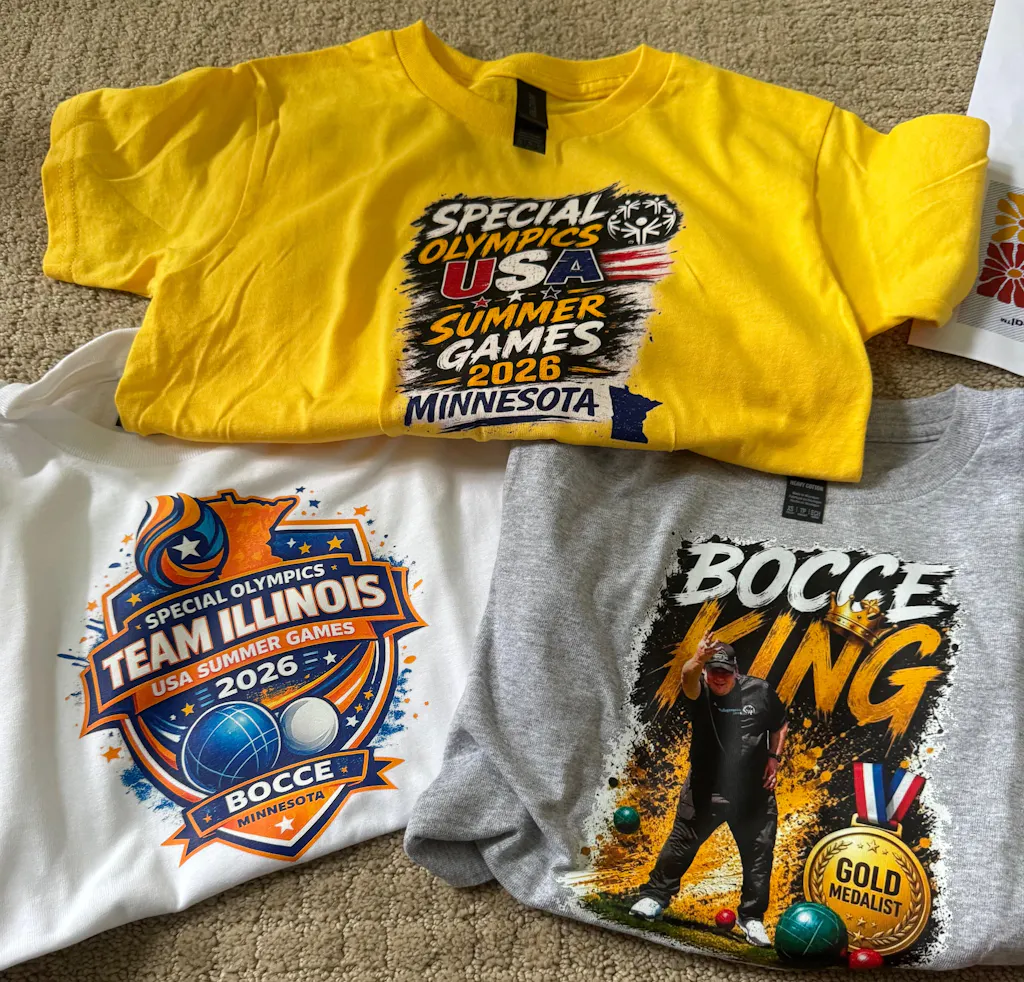
Sublimation printing and DTF are two of the most popular techniques for customizing apparel however both require a proper equipment, setup and process. A lot of new and growing print shops are plagued by quality issues due to small manufacturing errors. These problems can result in faded colors, peeling prints with blurred designs, ghosting as well as wasted blanks and unsatisfied customers.
Knowing Sublimation printing and DTF errors will help you enhance the quality of your prints, decrease the amount of waste and create a more stable custom printing process. When you're designing mugs, hoodies, t-shirts or tote bags, uniforms or promotional items, avoiding mistakes that are commonplace is essential to achieving better outcomes.
This guide will cover the most frequently encountered DTF printing errors and sublimation printing errors. It also covers printing errors made by heat press as well as simple troubleshooting suggestions to help you produce cleaner lasting prints.
Understanding DTF vs Sublimation Printing
Before you look at errors before examining mistakes, it is crucial to be aware of the differences between sublimation printing and DTF.
DTF transfer printing utilizes a special material, DTF ink, adhesive powder and heat press. Designs are printed on film, then coated with powder, dried, and then printed onto fabric. DTF can be used on polyester, cotton blends, dark clothes as well as light clothing, and numerous other custom-designed clothing items.
Sublimation printing employs inks that sublimate and transfer paper. The design transforms into a gas when heated and bonds with polyester-coated materials and polyester textiles. Sublimation is ideal for lighter-colored polyester clothing, mugs mouse pads, tumblers and other coated items.
Both are solid techniques for printing on textiles; however, they both require different specifications. Making a mistake with settings, materials or processes is one of the most common reasons for errors in printing that you can avoid.
Common DTF Printing Mistakes
The most frequent DTF printing errors is using poor quality artwork. In the event that your file has low resolution, blurry or is not properly sized the print you end up printing won't look sharp. DTF can provide sharp details, but it is not able to solve a design file that is not properly formatted.
Another error is using the wrong powder application. A lot of powder can cause the print to feel rough or rough. Insufficient powder can result in peeling and weak adhesion. The powder must be evenly applied so that it bonds well to the fabric.
A poor curing process is a further problem. If the adhesive powder has not properly cured it could cause the transfer to not adhere well. This could lead to cracking or peeling when it is washed or worn.
Incorrect settings for heat presses could also lead to DTF printing issues. The excessive heat could damage the fabric or cause transfer. A lack of heat can hinder the proper bonding. The wrong pressure or the right time for pressing could also impact the durability of the product.
DTF Printing Troubleshooting Tips
Good troubleshooting of DTF printing begins with analyzing each step. If your print is peeling, check your curing process, temperature and pressure as well as the time. If the design is dull, look at your ink levels as well as your colors, film quality, and the artwork file.
If you notice a rough surface you may have excessive amount of adhesive powder. If the design doesn't transfer properly the press pressure could be uneven or the surface may not be perfectly flat.
Common DTF ink issues can be due to the nozzles being blocked, weak color output, banding or printing that is uneven. Regular maintenance of your printer, correct ink storage and checking nozzles are a good way to prevent the likelihood of these problems.
To get the best results, you must run a test on a single sample before completing an entire order. This is among the most beneficial printing tips for garments for any custom-made apparel company.
Sublimation Printing Errors Beginners Should Avoid
There are a variety of sublimation printing errors that people who are new to sublimation should avoid especially when working on fabric or coated items.
The most common mistake is to use an unsuitable fabric. Sublimation is not a good option on normal cotton. It is best suited to polyester-coated or polyester-coated surfaces. If you try sublimating on cotton with the wrong method, the design could discolor quickly or not stick correctly.
Another issue that is common is the use of dark clothing. Sublimation inks are transparent which means it won't look good on dark clothing. To get the best results, choose lighter or white polyester garments.
A poor handling of transfer paper could also lead to problems. Transfer problems with paper could include smudging, paper shifting, improper print side, and poor ink release. Always ensure that you print correctly on sublimation paper.
The incorrect setting of the heat press is an additional reason for sublimation printing mistakes. Insufficient heat or time can result in faded prints. The excessive heat could burn the product or cause distortion of the color.
Avoiding Ghosting in Sublimation Printing
To avoid ghosting when Sublimation Printing is crucial. Ghosting occurs in the event that the paper used for transfer moves when it is press-pressed, or after making shadows or creating a double-image effect.
This is usually the case when the paper isn't secure enough or it is open too fast. Any movement of a tiny amount could affect the final outcome.
To avoid ghosting, apply heat-resistant tape to keep the paper. Make sure the paper is stable and flat prior to pressing. After pressing take off the transfer paper gently, but avoid sliding it across the surface.
For tumblers, mugs, or other hard products be sure that the design is securely wrapped and secured prior to heating. An accurate alignment and careful handling can prevent printing alignment issues.
Common Heat Press Mistakes in Apparel Printing
Many errors made by heat presses when printing on apparel result from the fact that people don't test their equipment. The heat press might display one temperature on the display, but then apply an entirely different temperature to the platen.
Uneven pressure is another problem. If one side of the presses applies higher pressure than its counterpart side, the print could transfer in a different way. This can result in discolored spots, weak adhesion or insufficient transfers.
Pre-pressing your garment without a pre-press is a major error. Pre-pressing removes wrinkles and moisture. Moisture is a factor that can influence DTF and sublimation outcomes.
The incorrect temperature settings for the heat press can cause many issues with printing quality on t-shirts. Always adhere to the suggested temperature and pressure settings, as well as the timing for your materials.
Sublimation Color Issues and Color Management
Sublimation color problems are quite frequent. Colors can appear different on the screen as they appear when you press. This is due to screens using RGB color while inks and printers produce color in a different way.
A proper control of color in printing can help reduce this issue. Make sure you use the right ICC profile to match your printer and ink, paper and substrate. Make sure that all your software for designing is setup correctly.
Another problem is that the sublimation colors can appear dull on the paper prior to pressing. This is not unusual. The colors get brighter after the activation of heat. If the final print appears faded, you should check your temperature time and pressure, the quality of your ink and the substrate.
To solve troubleshooting issues with sublimation ink Look for blocked printheads as well as expired ink, improper paper, or incorrect color profiles.
How to Prevent Color Fading in Sublimation Printing
If you're looking to learn how to avoid the color fade when printing sublimation start by choosing the correct blanks. Sublimation prints best on Polyester or coated materials. Textiles with low levels of polyester can cause faded prints following washing.
Make sure you use high-quality sublimation inks and transfer paper that is of high-quality. The use of cheap supplies could result in poor output of color and can be brittle. Be sure to avoid pressing too hard on the design. If the ink doesn't completely bond to the design, then it could be more difficult to fade.
Care for your wash is equally important. The garment should be washed inside-out with mild detergent and gentle drying as much as is it is possible. The harshness of washing and the high temperature can decrease the longevity of print.
To ensure long-lasting results, you must match the method of printing to the item. Sublimation is great for coated and polyester items and coated items, whereas DTF could be a better choice for heavier and cotton garments.
DTF vs Sublimation Printing Quality Issues
There are various DTF and sublimation printing quality problems since each method functions differently.
DTF quality issues can are cracking, peeling, roughness, poor adhesion, poor white ink coverage, as well as improper curing. The causes of these issues are usually due to curing, powder and heat press settings or the quality of transfer.
Quality issues with sublimation can result in ghosting, faded colors papers marks, blurred prints and poor results with the wrong material. These issues are typically related to the choice of material and transfer paper movements, temperature settings or the management of color.
Knowing these distinctions will help you pick the appropriate solution for printing on garments for each job.
Custom T-Shirt Printing Errors to Avoid
Some custom t-shirt printing errors happen before printing even begins. Poor art sizing, the wrong file format, poor design placement and clothing selection could all affect what you end up printing.
To print DTF printing, ensure your artwork is high-resolution and is transparent If needed. Sublimation is a process that requires the artwork is mirror-seen prior to printing. Inadvertently mirroring patterns for sublimation can be a typical beginner error.
The placement of the shirt is also important. If a design isn't right, high, or too off-center could create a look that is not professional. Utilize rulers, alignment tools, or even a guide to placement for more uniformity.
These little steps can greatly improve your overall custom-designed apparel quality of printing.
How to Fix DTF Printing Problems
Understanding how to solve DTF printing issues starts by finding out the root of the issue.
If the printing is peeling, you should check the glue powder, curing temperature as well as pressure and time. If the colors appear dull, examine the image, ink film and printing settings. If the transfer feels heavy, remove excess powder and check the your white-ink setting.
If the print breaks after washing, it could be because the transfer did not have properly bonded. It could be due to inadequate heat, weak curing pressure, inadequate curing or poor quality materials.
For greater durability, ensure that you use high-quality transfer materials, proper setting of the heat press, as well as appropriate instructions for garment care.
How to Improve DTF Print Durability
To know how to increase DTF durability of prints be sure to focus on bonding and maintenance. A sturdy DTF print needs a high-quality adhesive powder, a proper curing, the right temperatures, firm pressure and a sufficient amount of pressing time.
The garment must be dry and smooth prior to pressing. Pressing before pressing helps eliminate wrinkles and moisture. After pressing, adhere to the correct procedure for peeling regardless of whether it is hot peel, cold peel, or warm peel, depending on the method of transfer.
A final press using parchment or a finishing sheet may help improve the tactile quality and aid in settling the print in the fabric.
The durability of your print is among the most important aspects of DTF print quality issues and solutions.
Best Practices for DTF and Sublimation Printing
Utilizing the best guidelines following the best practices for DTF or sublimation printing will save you time and money.
Utilize high-quality artwork, and confirm the size of the design before printing. Select the appropriate product or fabric for printing. Follow the recommended settings for heat presses and test prior to ordering bulk quantities.
Maintain your equipment in good condition. Maintaining your printer is crucial to ensure sublimation as well as DTF or sublimation. Storage of inks, films papers, and powders in a safe manner. Dust, moisture and inadequate storage could influence the print's quality.
Always test new products prior to presenting the material to customers. Small tests can avoid big-scale order errors.
These are useful business advice for tailoring your custom-made apparel which can increase both profitability and quality.
Printing Setup Mistakes That Cause Problems
Many errors in printing setup result from hurrying. Inadvertently omitting test prints, not paying attention to color profiles, printing on the wrong side of the paper and not checking the garment fabric or not preparing the print can cause issues.
Before production, create a checklist. Verify the size of artwork and quality, file size and print settings, as well as the type of transfer, the fabric's contents, temperature of the heat press time, pressure and location.
A simple setup process will help you to avoid typical transfer printing issues and makes your workflow in line.
Final Thoughts
Making sure to avoid sublimation printing and DTF errors is vital to ensure a more accurate custom-designed garment printing. Both techniques can yield excellent outcomes, but both require different settings, materials and methods.
DTF is a flexible fabric for blends of polyester, cotton dark fabrics, blends and full-color designs for apparel. Sublimation is ideal for coated and polyester products particularly light-colored products. Knowing the strengths and weaknesses of each method can help minimize mistakes.
When you adhere to the proper art configuration and heat press settings, maintenance of the printer and color management methods for testing, you will be able to get rid of many common problems. A better preparation will result in higher quality prints, fewer repeat orders, and happy customers.
For any business that offers custom-made apparel the quality of service isn't just dependent on the technology. It's all about the process that goes into every print.
FAQs
Are there any frequent DTF printing errors?
Common DTF printing errors include poor quality artwork, incorrect powder application, poor curing, improper temperature settings for the heat press, inadequate pressure, and inadequate garment preparation. This can result in cracking, peeling or dull colors or even poor durability.
What are the most common printing errors caused by sublimation?
Common errors in sublimation printing are printing on the wrong fabric, printing on dark clothing and not mirroring designs, using improper temperatures, and permitting the transfer paper to move during the pressing.
How do I fix DTF printing problems?
To resolve DTF printing issues, examine the adhesive powder curing process, press settings Pressure, artwork quality along with transfer film. A test print before mass printing will help you identify the problem early.
Why do sublimation prints appear like it has faded?
Sublimation can appear faded if the material has very little polyester or the settings for the heat press are incorrect and the paper used for transfer is not of good quality or the ink is unable to fully bond to the surface.
How can I stop ghosting from sublimation printing?
To prevent ghosting, make sure to secure the transfer paper using heat-resistant tape. This will keep the blank in place and then remove the paper cautiously after pressing. Make sure that the paper does not slide when the pressing process.
What triggers DTF prints to peel or crack?
DTF prints can peel or crack because of inadequate curing and weak adhesive powders, insufficient heat, incorrect pressure and a short time for pressing or poor-quality transfer materials.
Which is superior, DTF Sublimation Printing or Direct-to-Flex?
DTF is a better choice for dark fabrics, cotton blends, as well as flexible custom-designed apparel printing. Sublimation is a better option for lighter polyester clothing and coated items like tumblers, mugs, and other hard goods.
How do I improve the quality of my print with DTF as well as sublimation?
Make sure to use high-resolution artwork, the correct materials, appropriate temperature settings for the heat press, excellent quality inks, color management and test prints prior to production. Regular maintenance of equipment can also enhance outcomes.